Production
For: Owner, Admin, Production
The production board, the floor screen, weighing online orders, the rack and work stages.
Production moves laundry one stage at a time, from the intake queue to ready for pickup, and every move is recorded. Laundry may enter a work stage only once its order is paid.
For owners, admins and production staff.
Steps on the board
Open Production > Board. The first column, Awaiting payment, holds the orders not yet paid, with the card count and the total owed in its header. Each card shows the amount, how long it has waited, and for an online order Not weighed yet or Bill sent.
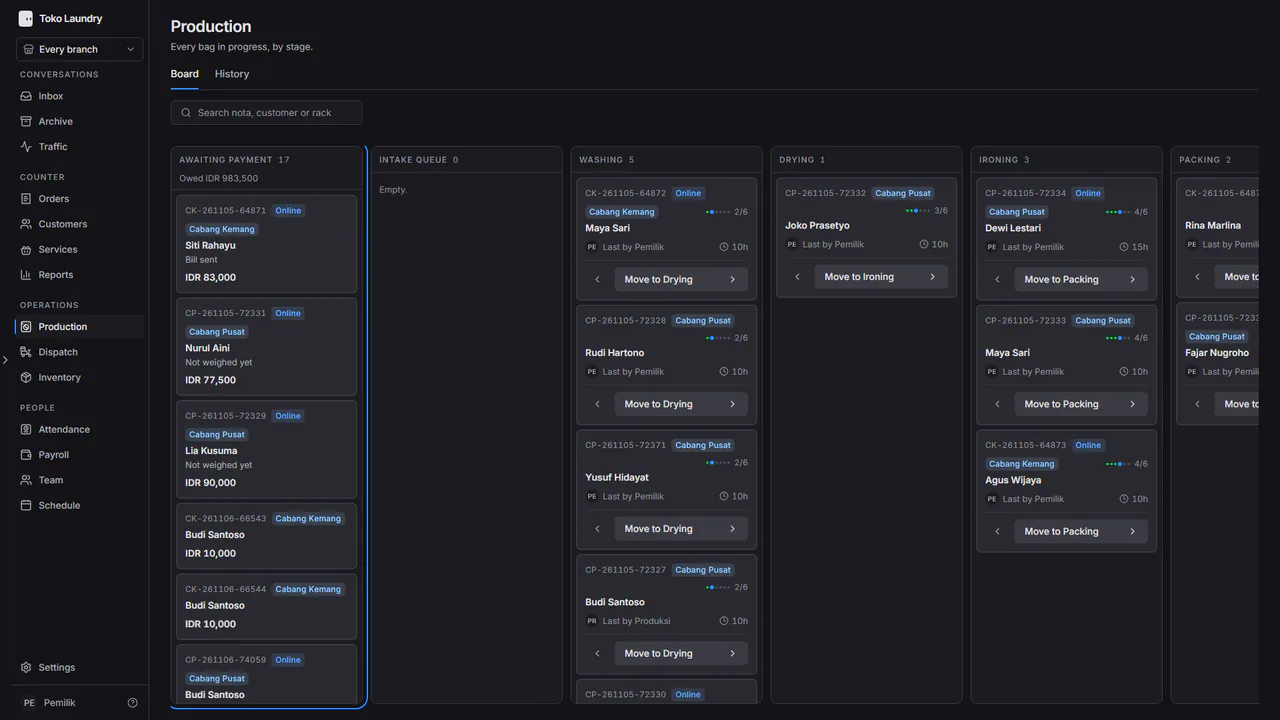
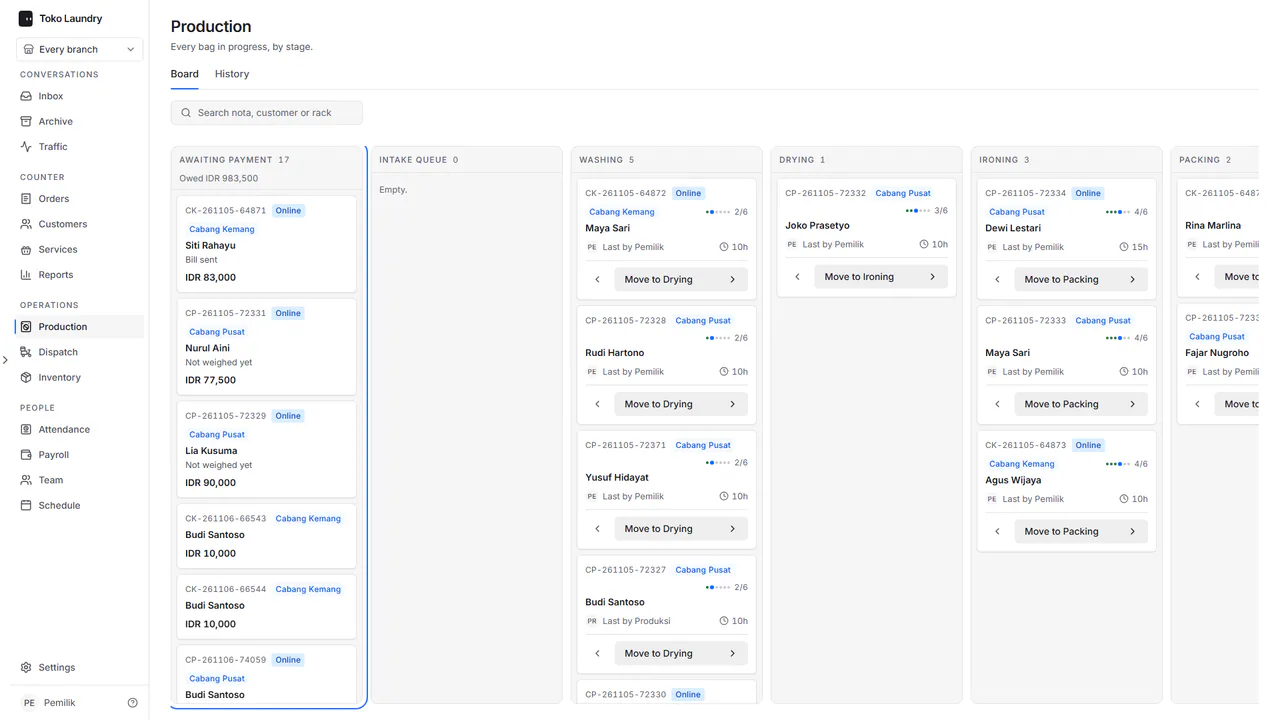
Cards in that column cannot be dragged. Once the order is paid, its card moves to the first stage column by itself. Pick an online order's card to weigh it on the floor screen.
In the other columns, press Move to on a card, or drag the card. The left arrow moves it back one stage.
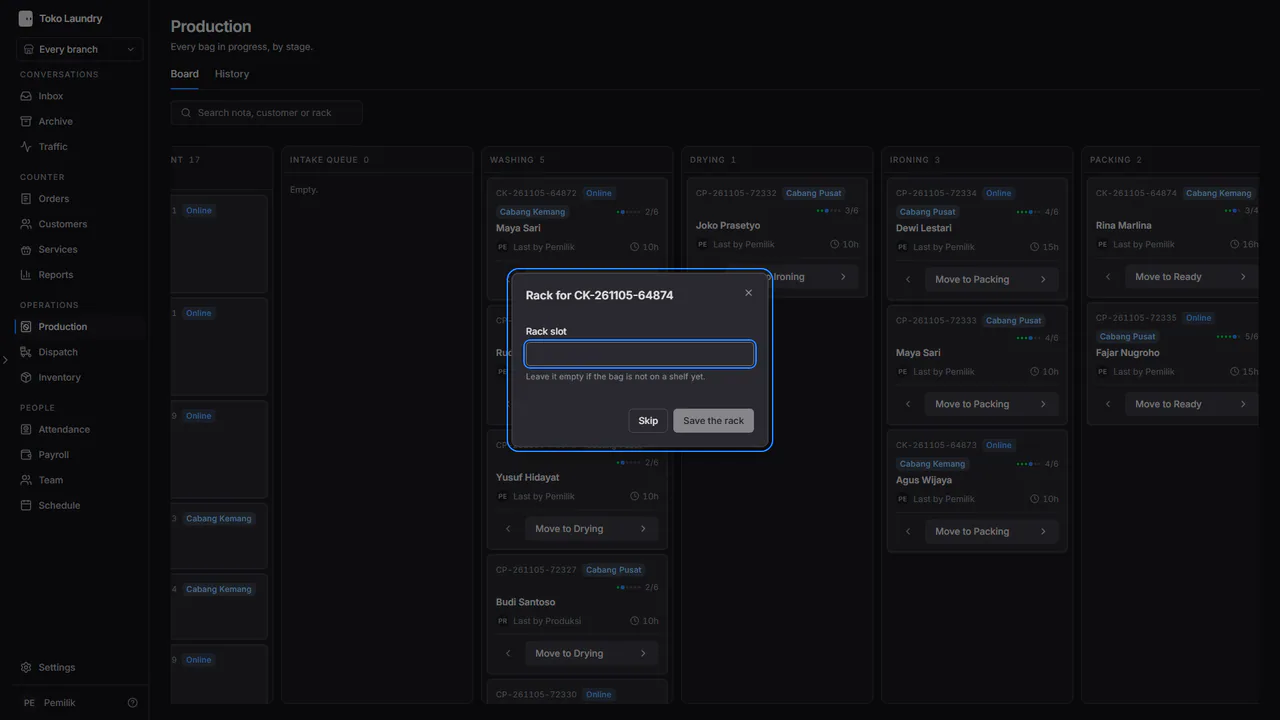
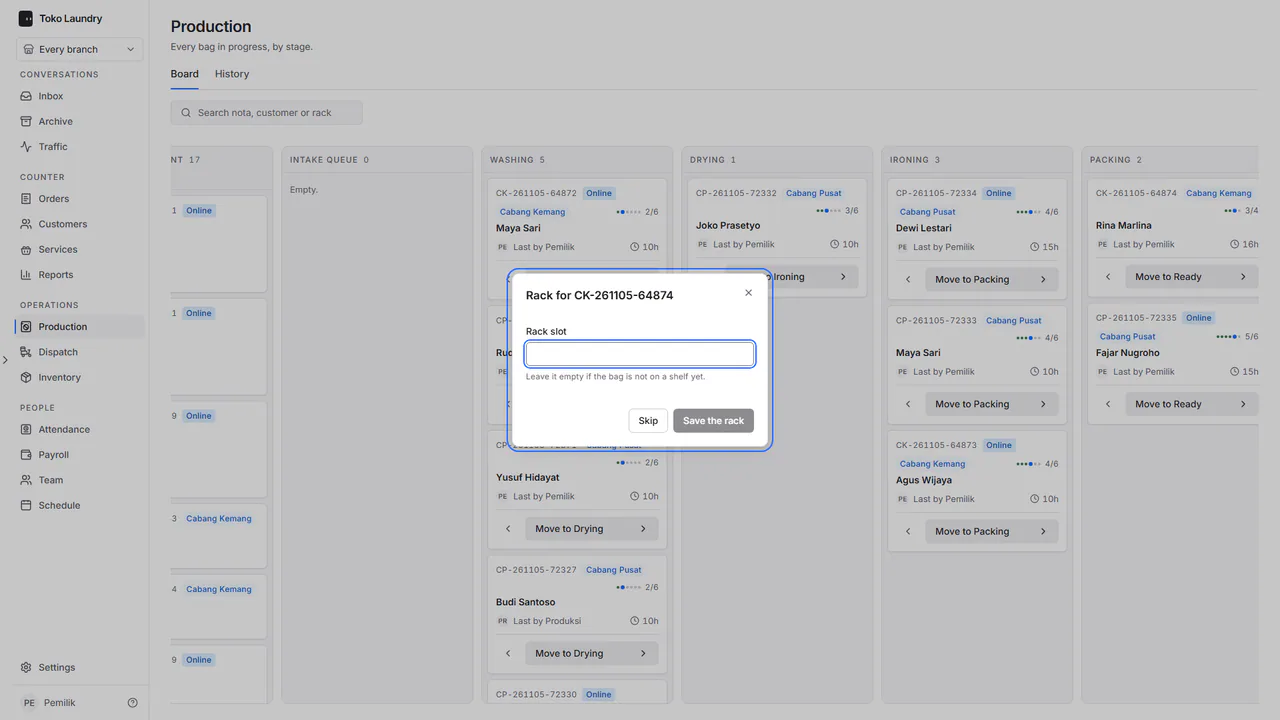
When laundry moves to Ready, fill in Rack slot and press Save the rack, or Skip.
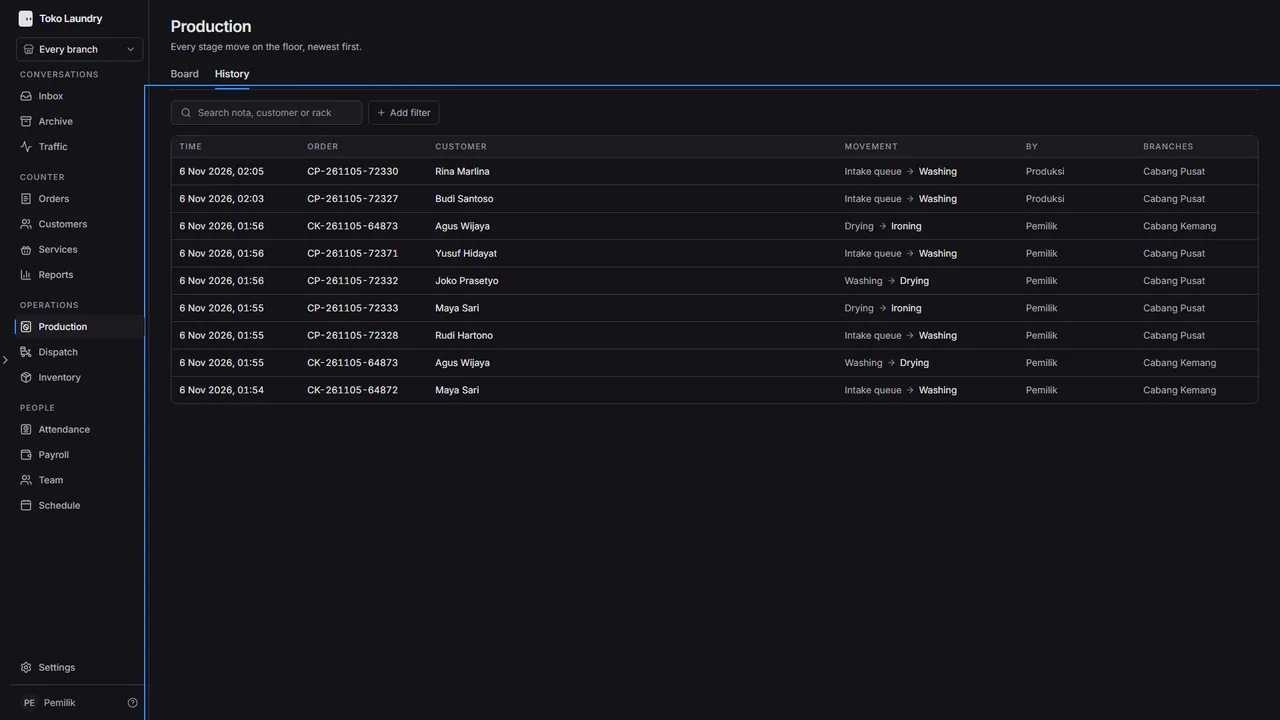
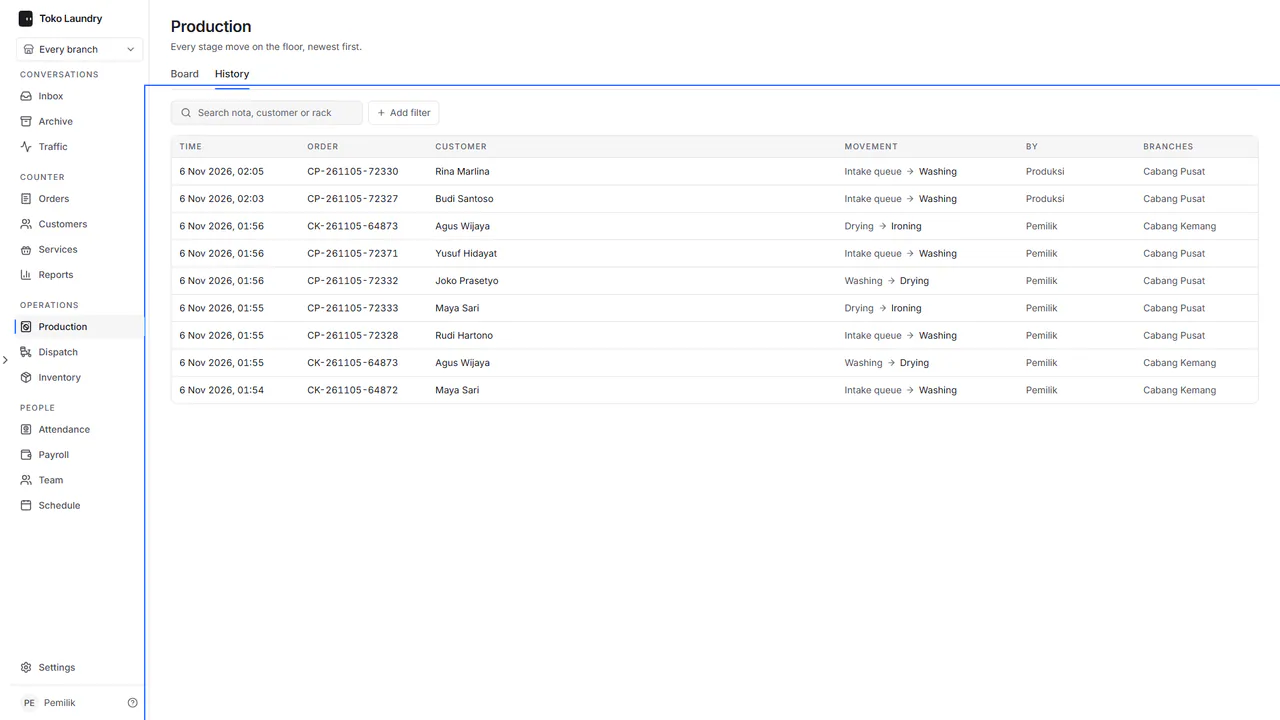
Open the History tab to see every move, who made it and when.
Steps on the floor screen
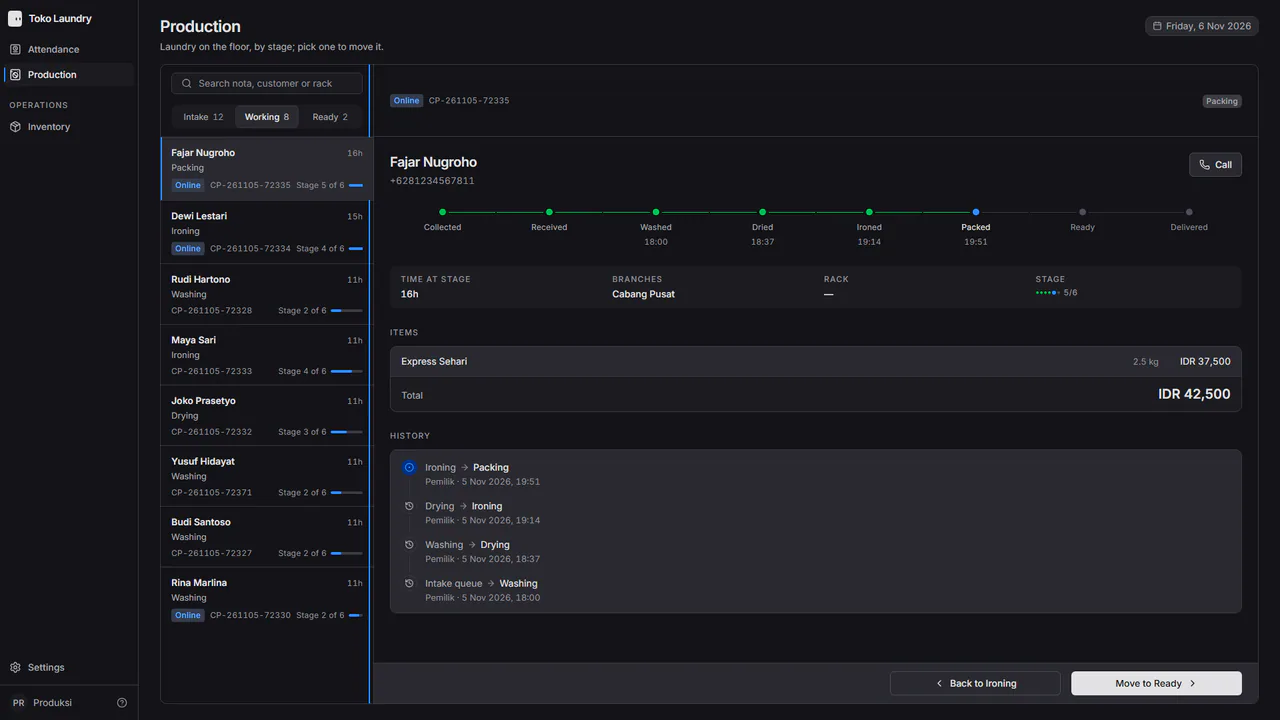
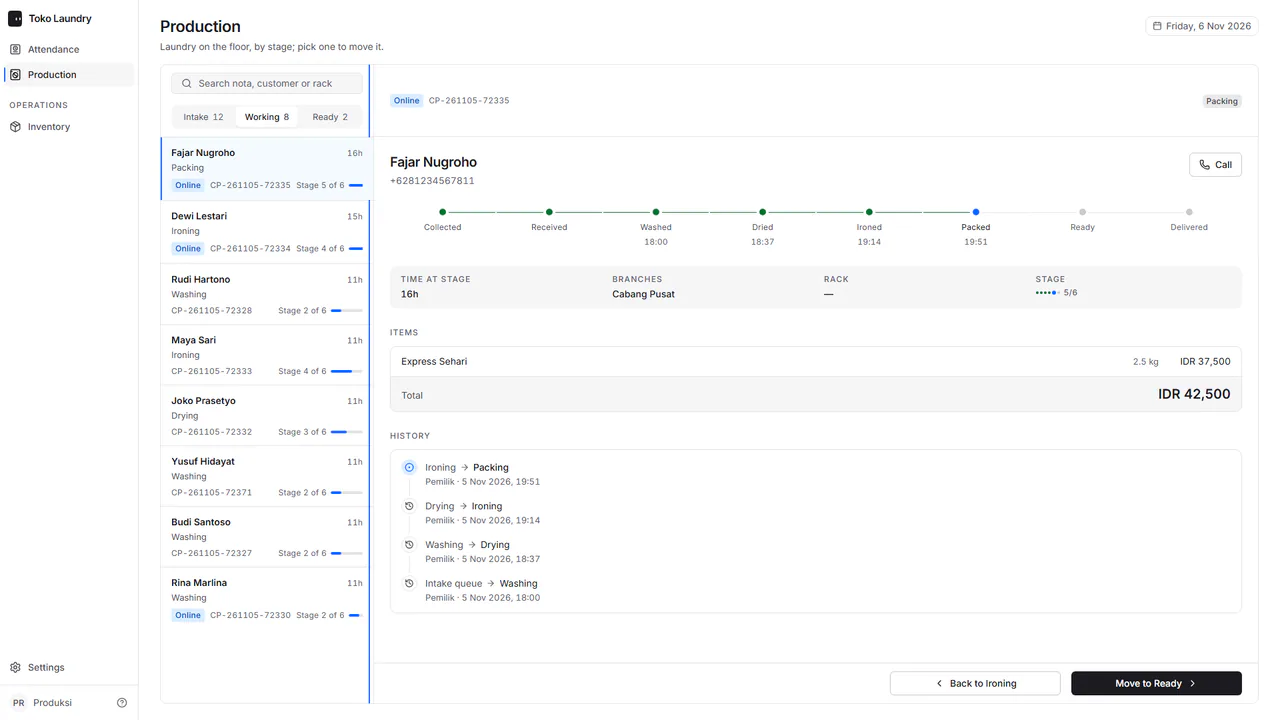
Pick the Intake, Working or Ready group, then pick one job.
Press Move to with the next stage's name, or Back to to undo a wrong press.
An order not yet paid has no next-stage button: the floor screen and the result of a QR scan say the order is waiting for payment.
Steps to weigh an online order
Open the online order in Intake. Its table lists each service with a quantity field, the price from the branch's price list and the subtotal. Fill in the real quantities. The order's discount and extra fee, when it has them, sit above the total. The total shows how far it is from the estimate in the chat.
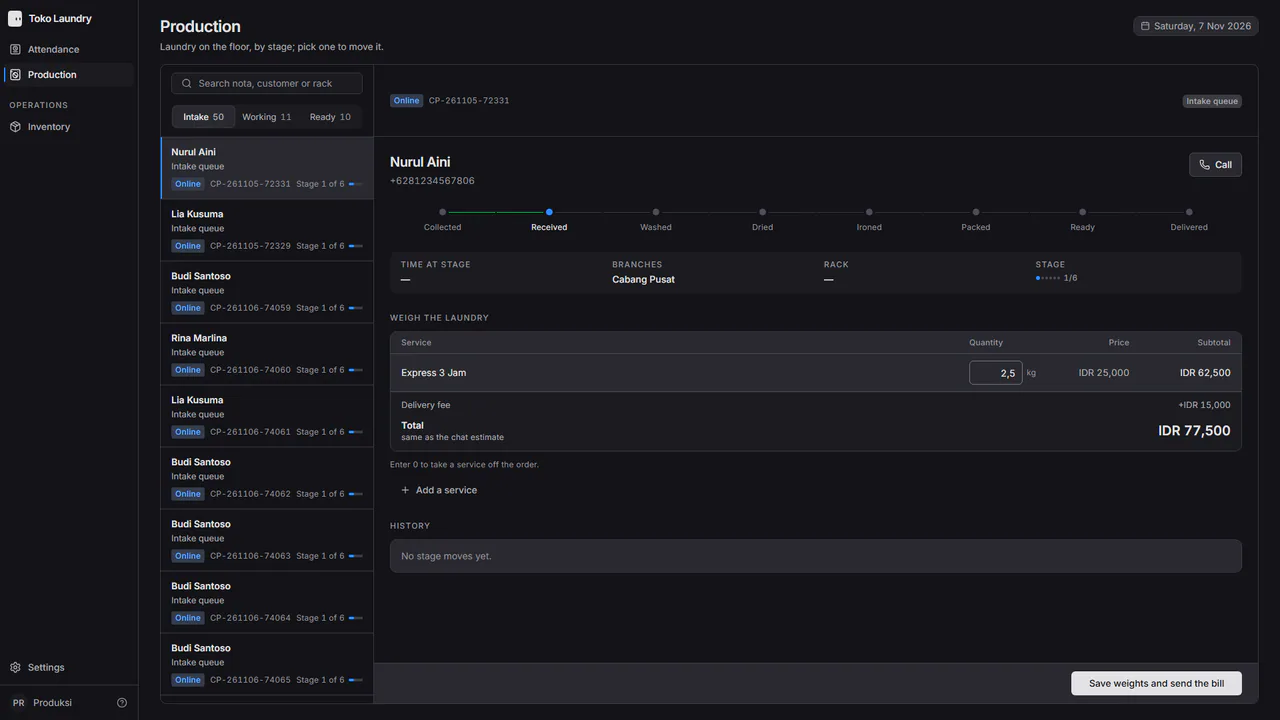
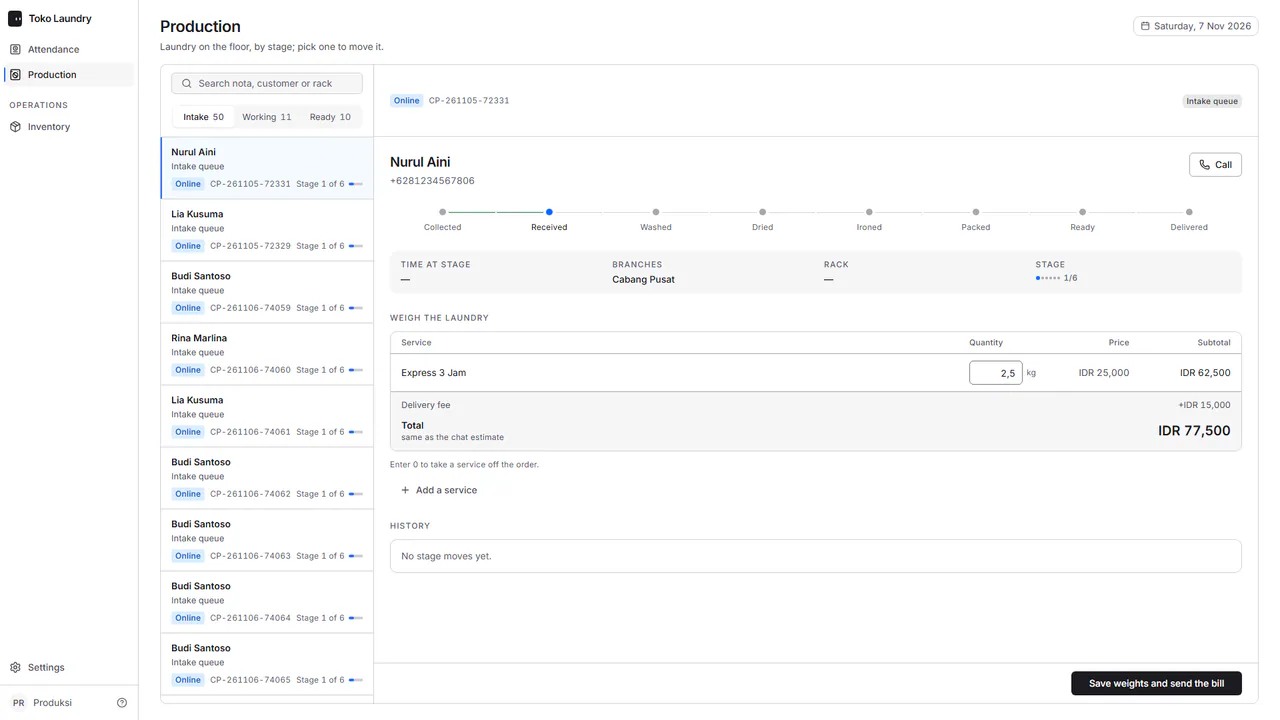
Press Save weights and send the bill. The screen says Awaiting payment and the amount of the bill sent to WhatsApp. Resend the bill sends it again. A total under Rp1.000 makes no bill; the cashier records the payment through Pay in the order panel.
Steps to set up work stages
Open Settings > Production flow. In Work stages, press Add stage, rename a stage, drag to reorder, or archive one.
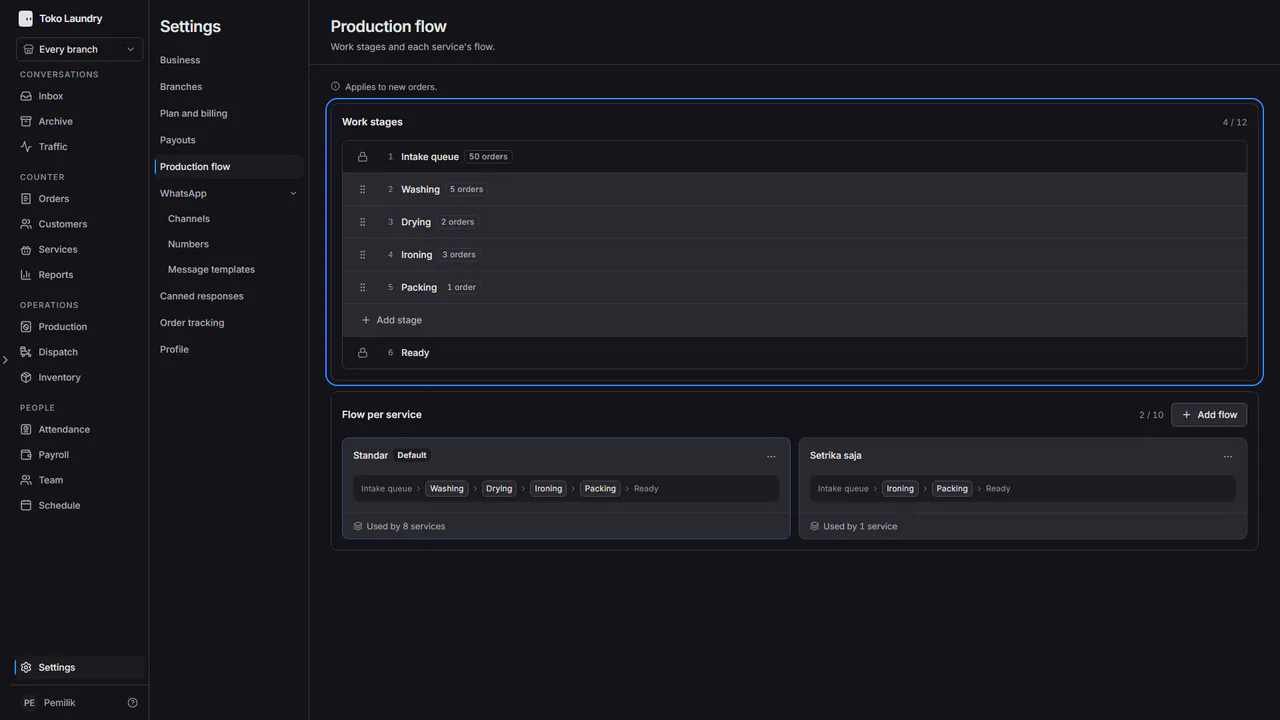
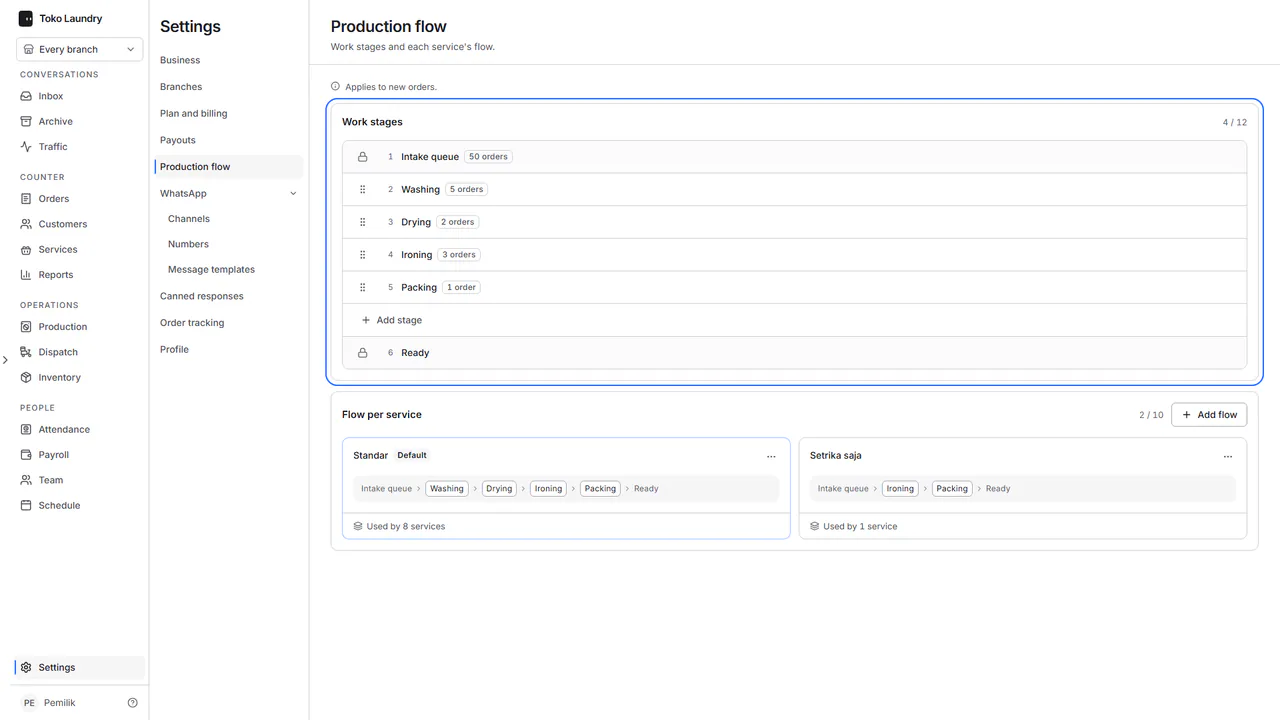
In Flow per service, press Add flow for a flow that uses only some stages, then attach it to its service. A flow change applies to new orders.
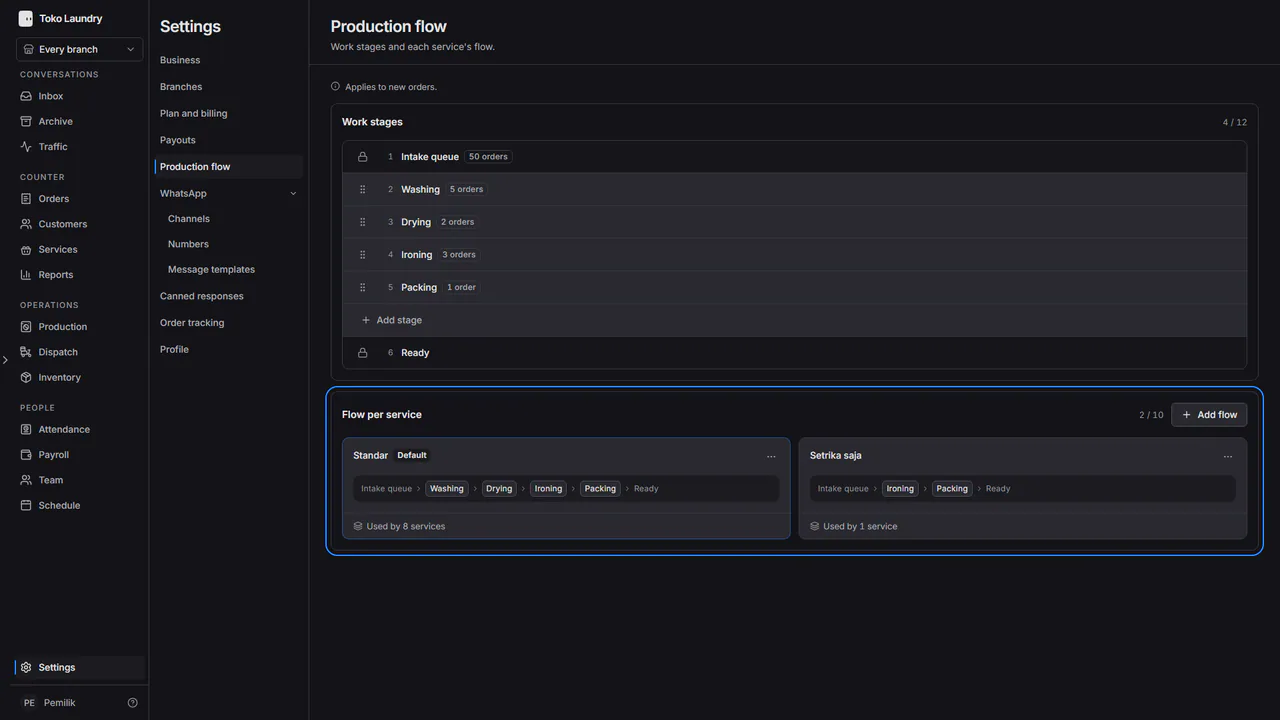
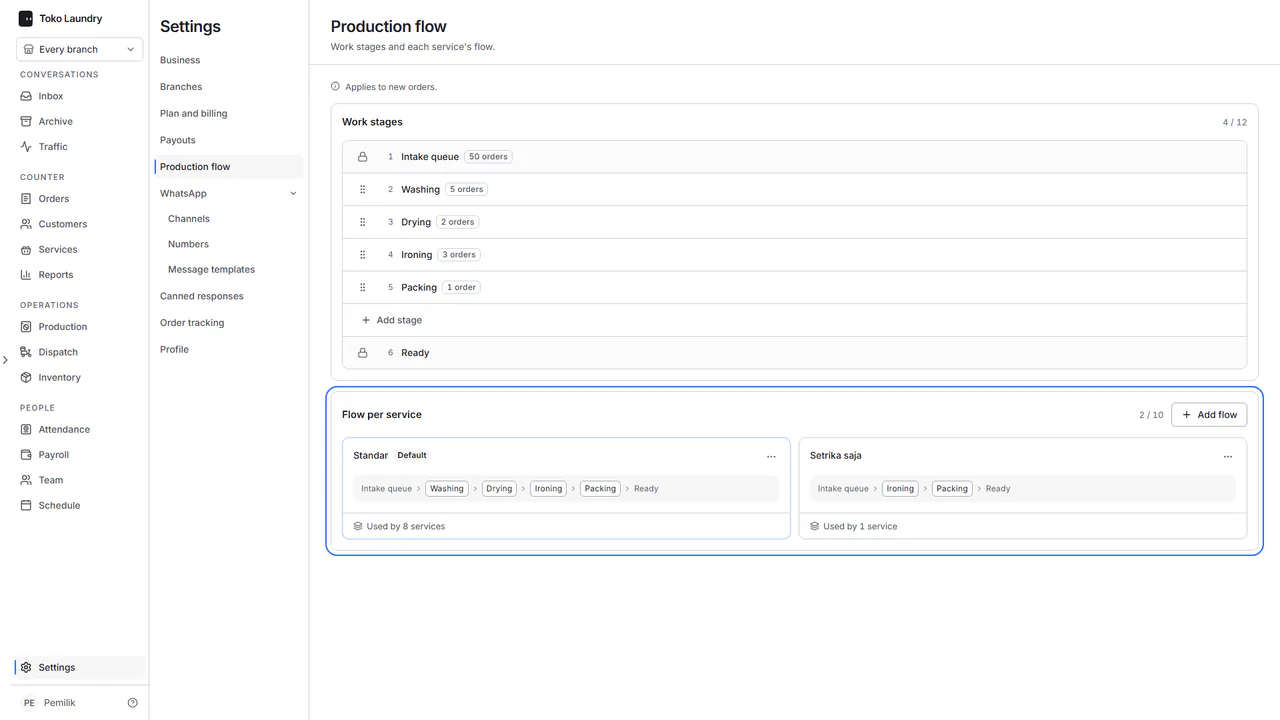
Intake queue is always first and Ready always last. Moving to Ready sends the customer one WhatsApp message. A Rack slot uses capital letters, digits and hyphens, at most 12 characters, and is printed on the receipt.