Customers paying online
For: Owner, Admin, Cashier, Production
QRIS for counter orders, and a WhatsApp bill for online orders once they are weighed.
Customers pay with QRIS from a bank or e-wallet app, and the money lands in one balance that belongs to your business. Toko Laundry takes no commission; the payment provider's fee is taken from the amount that comes in.
For owners, admins and cashiers. Production staff weigh online orders.
Requirements
Online payment turns on as soon as the owner saves the bank account in Settings > Payouts. A QRIS is made for a total of at least Rp1.000. Without that, the cashier records cash, transfer or card through Pay in the order panel.
Steps for a counter order
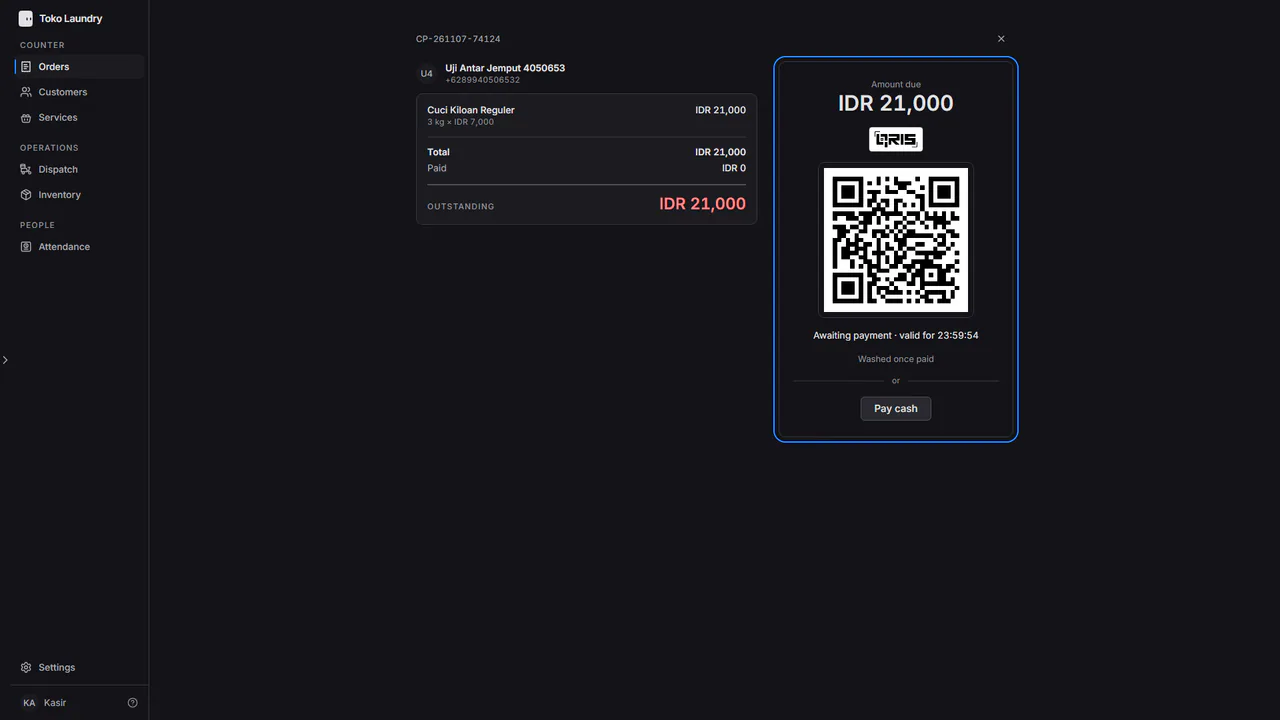
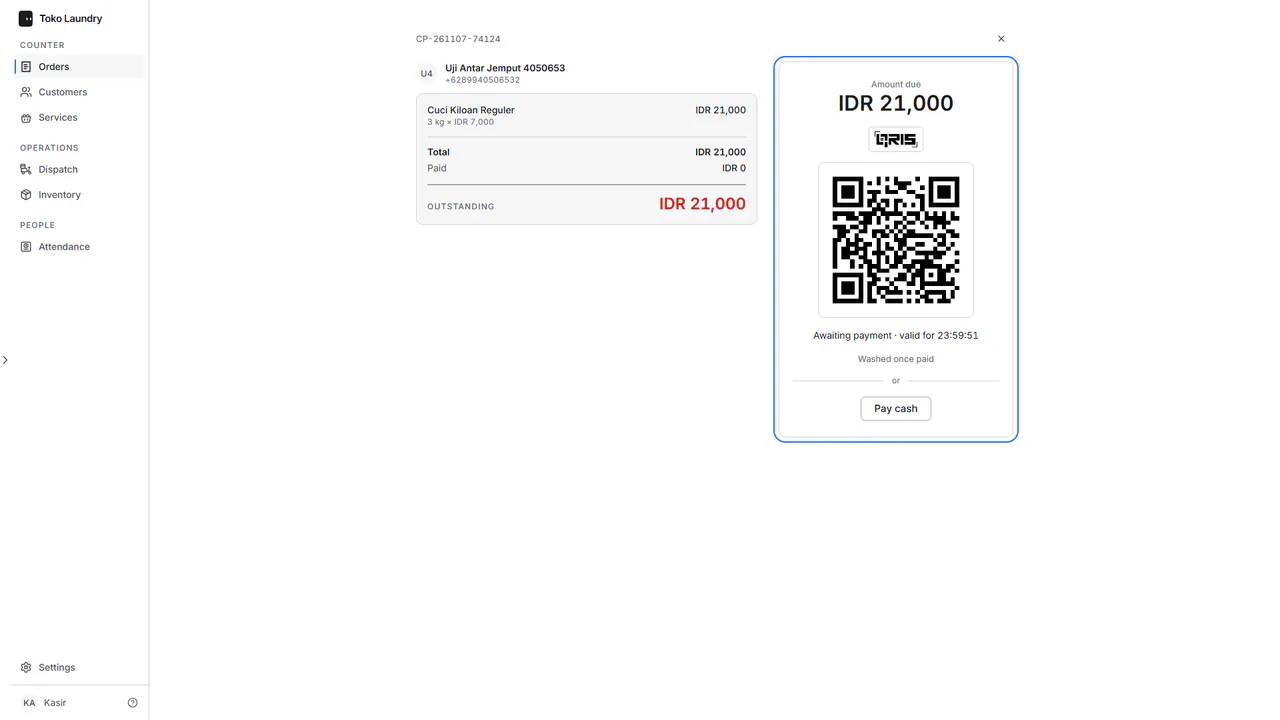
Save the order in New order. The payment page shows a QRIS for the full amount at once, and the customer scans it at the counter. See taking payment.
Steps for an online order
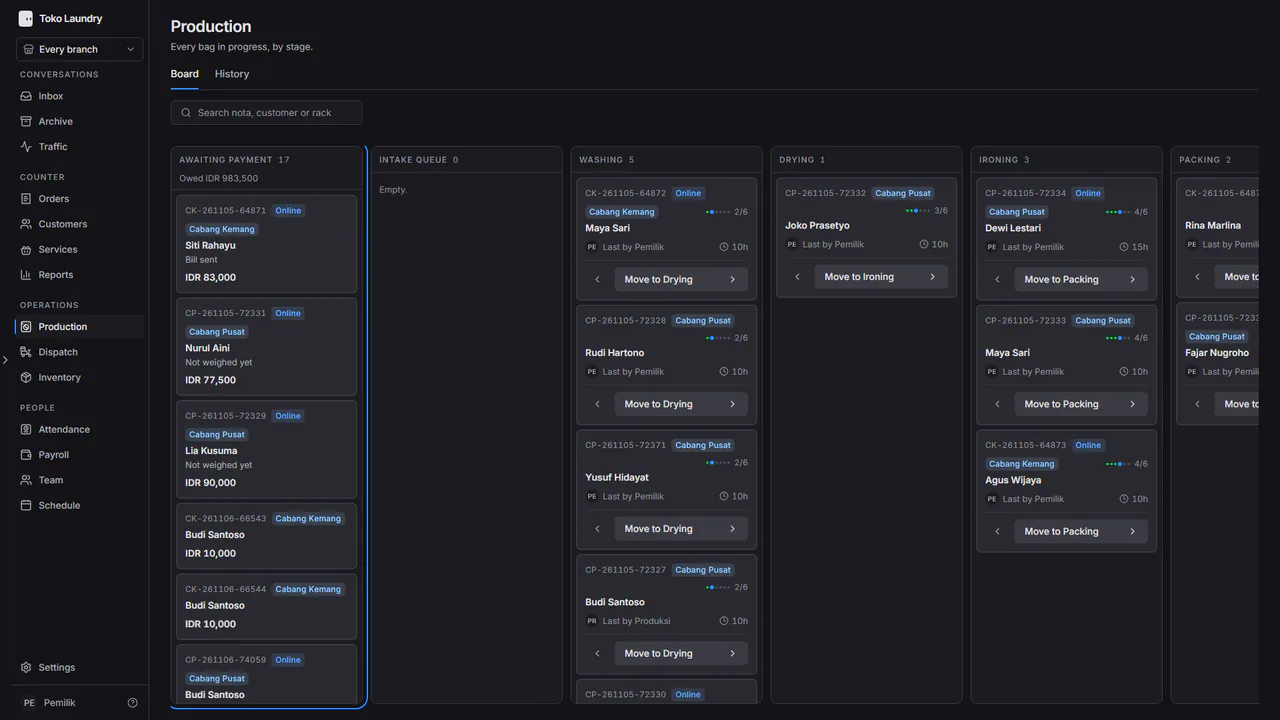
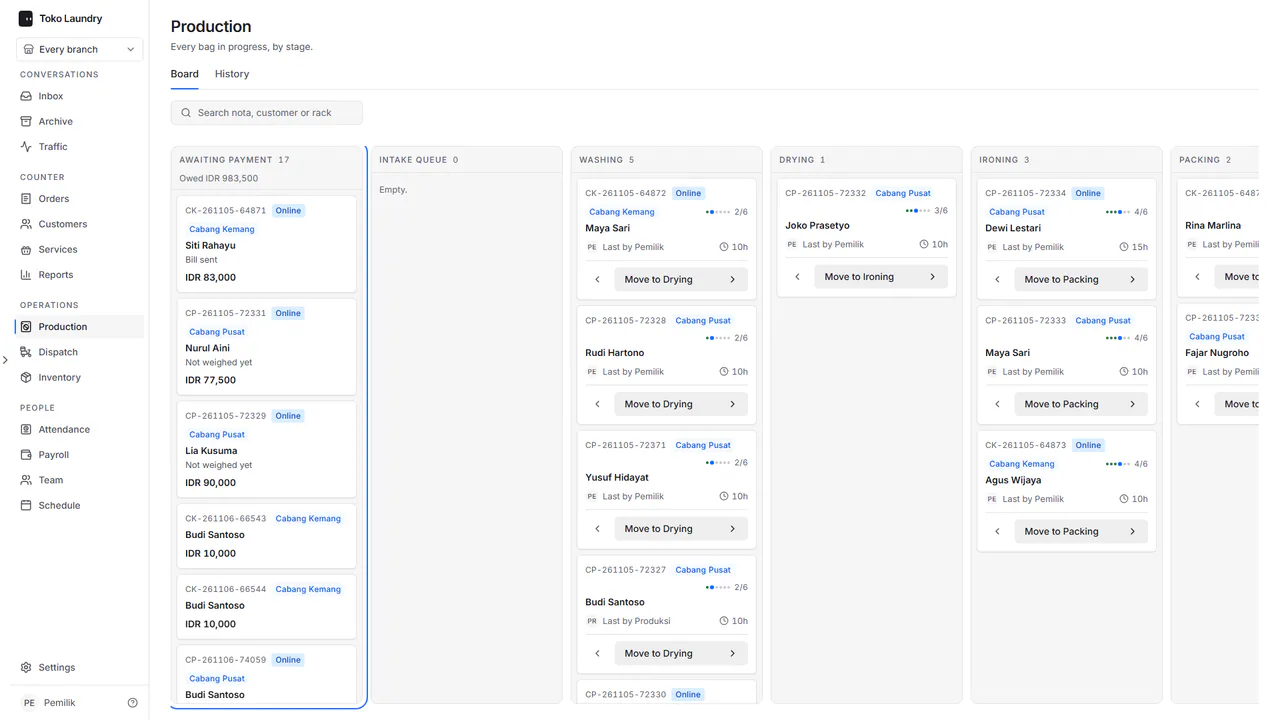
An order from chat is saved at the estimated price, with no bill. On the production board its card waits in Awaiting payment, marked Not weighed yet.
Once the laundry is picked up, production opens that order on the floor screen, fills in the quantity of each service, then presses Save weights and send the bill. Prices come from the branch's price list.
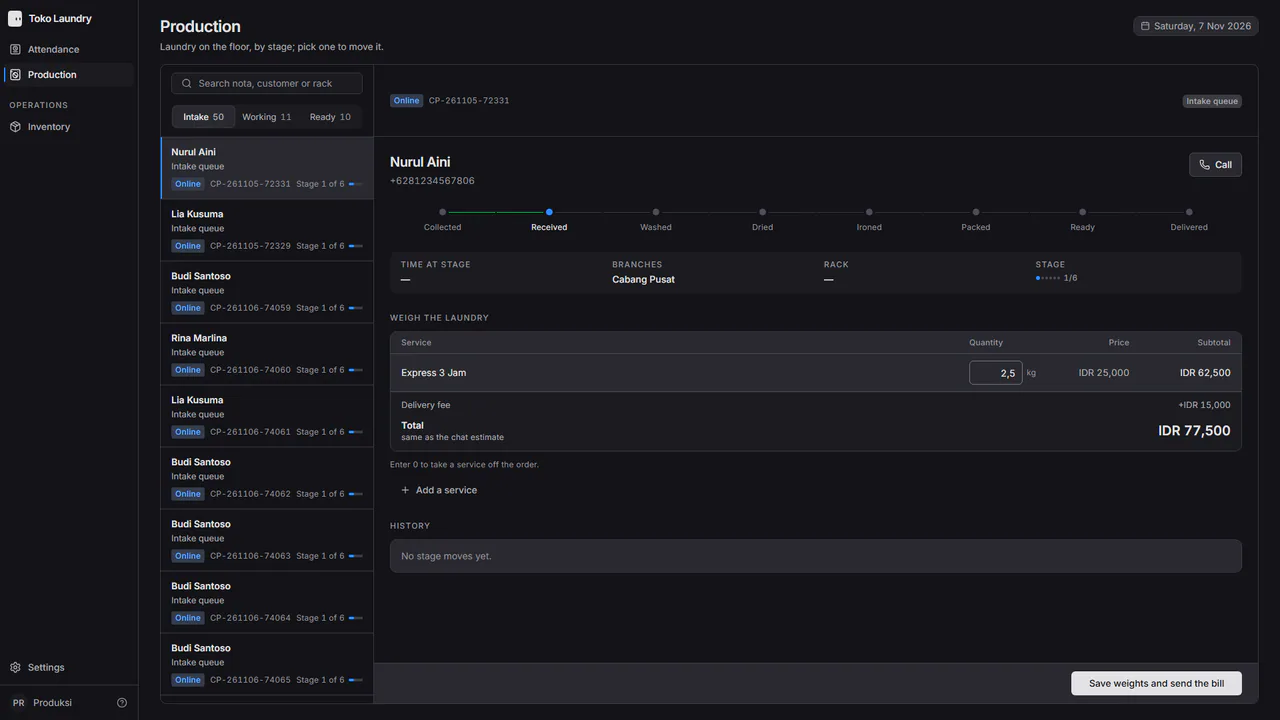
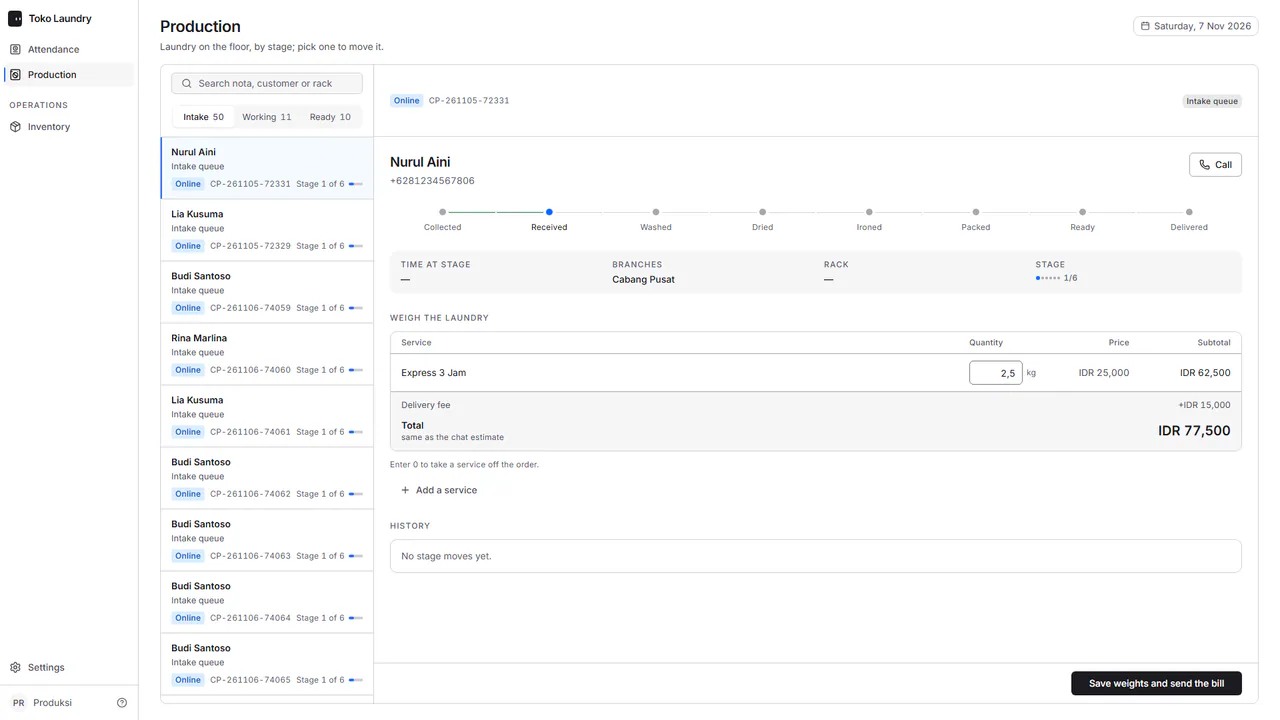
The customer gets a QRIS bill on WhatsApp, and the card says Bill sent. Resend the bill sends it again.
Once the customer pays, the order moves to the first work stage by itself.
Money that matched no order
Money that arrives for an order already paid, cancelled, paid twice, below the outstanding bill or above it is not lost and is not applied to the order. It is listed under Money that matched no order on the balance page, with the reason. Refunds do not go through the system: you return the money to the customer yourself.